


Page 115 - Computing E-Book Grade 6
P. 115
The City School  2021-2022


             4.9.   Formatting Shapes


             You can format shapes in your EDraw drawing by changing any or all of their

             attributes, such as line weight and pattern, fill colour and pattern, and text formatting.
             For example, you might use fill colour to make a drawing for a slide presentation more

             effective, or you might use line patterns to represent specific types of connections                   Modular Designing
             between shapes.

             Open Shape Formatting


             A shape such as a line, arc, or zigzag. You can format an open shape with line patterns
             and ends, such as by changing a solid line to a dashed line and adding an arrow to

             one end. You can add line ends to open shapes, such as arcs or zigzag lines, but not to
             closed shapes.


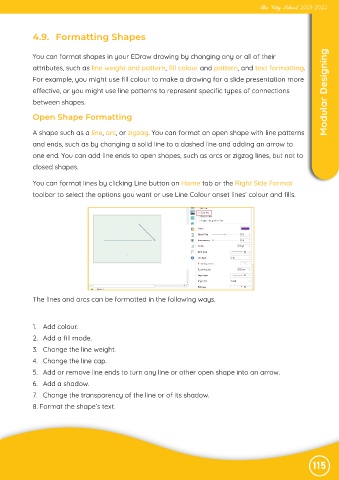
             You can format lines by clicking Line button on Home tab or the Right Side Format

             toolbar to select the options you want or use Line Colour onset lines’ colour and fills.


             The lines and arcs can be formatted in the following ways.


             1.  Add colour.

             2.  Add a fill mode.
             3.  Change the line weight.

             4.  Change the line cap.
             5.  Add or remove line ends to turn any line or other open shape into an arrow.

             6.  Add a shadow.
             7.  Change the transparency of the line or of its shadow.

             8. Format the shape’s text.


                                                                                                               115

