


Page 152 - Computing E-Book Grade 6
P. 152
The City School  2021-2022


             Reports in MS Access
                                                                                  Checkpoint
             Reports offer a way to view, format, and summarize               Forms allow to add, edit, or

             the information in your Microsoft Access database.               display the data stored in
                                                                              database.
             For example, you can create a simple report of                   A query allows you to pull
                                                                              information from different tables
             phone numbers for all your contacts.                             based on a certain criteria.


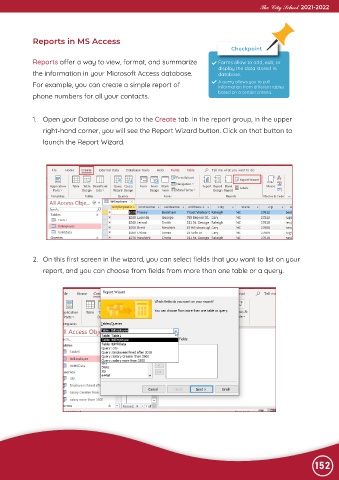
             1.  Open your Database and go to the Create tab. In the report group, in the upper

                right-hand corner, you will see the Report Wizard button. Click on that button to
                launch the Report Wizard.


             2.  On this first screen in the wizard, you can select fields that you want to list on your
                report, and you can choose from fields from more than one table or a query.


                                                                                                                152

