


Page 149 - Computing E-Book Grade 6
P. 149
The City School  2021-2022


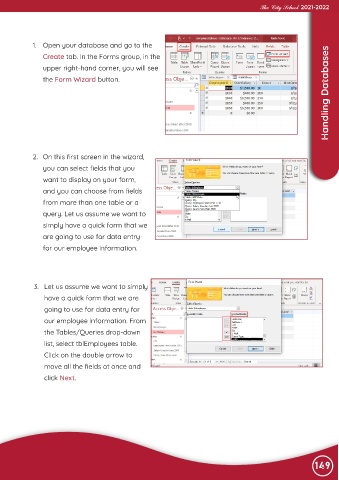
             1.  Open your database and go to the
                                                                                                                    Handling Databases
                Create tab. In the Forms group, in the

                upper right-hand corner, you will see
                the Form Wizard button.


             2.  On this first screen in the wizard,

                you can select fields that you
                want to display on your form,

                and you can choose from fields
                from more than one table or a

                query. Let us assume we want to
                simply have a quick form that we

                are going to use for data entry
                for our employee information.


             3.  Let us assume we want to simply
                 have a quick form that we are

                 going to use for data entry for
                 our employee information. From

                 the Tables/Queries drop-down
                 list, select tblEmployees table.

                 Click on the double arrow to
                 move all the fields at once and

                 click Next.


                                                                                                                149

