


Page 62 - Computing E-Book Grade 6
P. 62
The City School  2021-2022


             The Mail Merge pane appears and will guide you through the six main steps to
             complete a merge. The following example demonstrates how to create a form letter
             and merge the letter with a recipient list.


             Step 1:


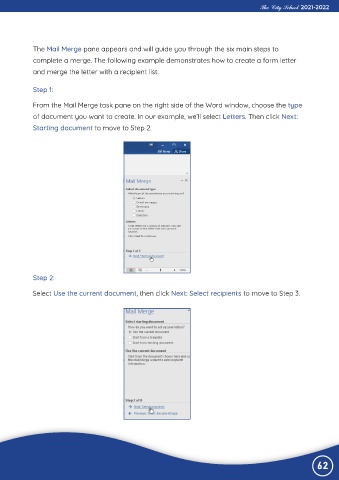
             From the Mail Merge task pane on the right side of the Word window, choose the type
             of document you want to create. In our example, we’ll select Letters. Then click Next:

             Starting document to move to Step 2.


             Step 2:

             Select Use the current document, then click Next: Select recipients to move to Step 3.


                                                                                                                62

