


Page 64 - Computing E-Book Grade 6
P. 64
The City School  2021-2022


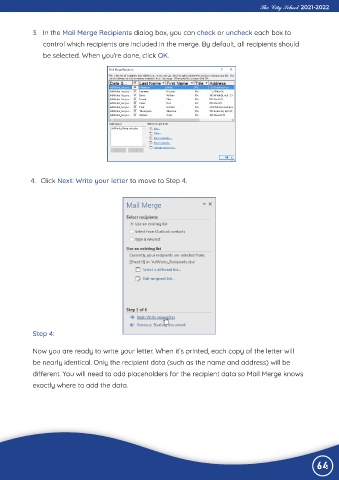
             3.  In the Mail Merge Recipients dialog box, you can check or uncheck each box to
                control which recipients are included in the merge. By default, all recipients should

                be selected. When you’re done, click OK.


            4.  Click Next: Write your letter to move to Step 4.


             Step 4:


             Now you are ready to write your letter. When it’s printed, each copy of the letter will
             be nearly identical. Only the recipient data (such as the name and address) will be

             different. You will need to add placeholders for the recipient data so Mail Merge knows
             exactly where to add the data.


                                                                                                                64

