


Page 98 - Computing E-Book Grade 6
P. 98
The City School  2021-2022


             4.1.   Getting Started with EDraw Max


             EDraw Max is an extremely powerful all-in-one diagramming
             tool that can serve all of your purposes. Whether you need to

             draw flowcharts, fishbone diagrams, UML diagrams or design
             floor plans, office layouts, you can find what you want in

             EDraw Max.


            4.2.   EDraw Max Interface


             EDraw user interface is similar to Microsoft Program interface, which can minimize the
             learning curve. EDraw user interface includes 7 major menus: File, Home, Insert, Page

             Layout, View, Symbols and Help. These menus are introduced in detail with illustrations
             below. A menu’s background turns white after selected. Clicking another menu turns

             off the menu selected before.

             Home


            The Home tab has following options:


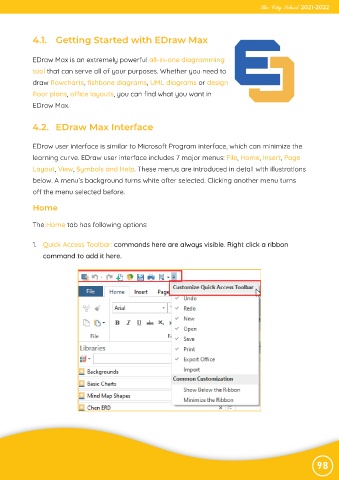
             1.  Quick Access Toolbar: commands here are always visible. Right click a ribbon

                command to add it here.


                                                                                                                98

