


Page 103 - Computing E-Book Grade 6
P. 103
The City School  2021-2022


             Help Menu


                                                                                                                    Modular Designing


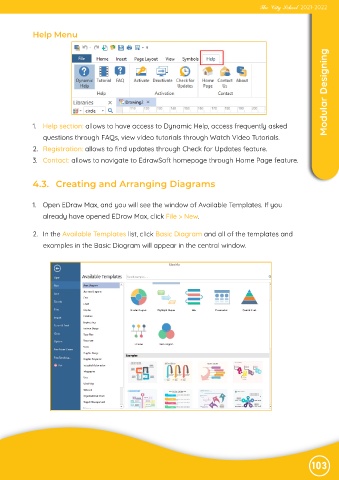
             1.  Help section: allows to have access to Dynamic Help, access frequently asked

                questions through FAQs, view video tutorials through Watch Video Tutorials.

             2.  Registration: allows to find updates through Check for Updates feature.
             3.  Contact: allows to navigate to EdrawSoft homepage through Home Page feature.


             4.3.   Creating and Arranging Diagrams


            1.  Open EDraw Max, and you will see the window of Available Templates. If you
                already have opened EDraw Max, click File > New.


             2.  In the Available Templates list, click Basic Diagram and all of the templates and

                examples in the Basic Diagram will appear in the central window.


                                                                                                               103

