


Page 44 - Computing E-Book Grade 3
P. 44
The City School  2021-2022


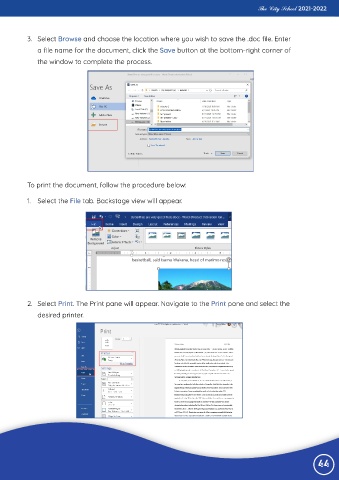
           3.  Select Browse and choose the location where you wish to save the .doc file. Enter

              a file name for the document, click the Save button at the bottom-right corner of
              the window to complete the process.


           To print the document, follow the procedure below:


           1.  Select the File tab. Backstage view will appear.


           2.  Select Print. The Print pane will appear. Navigate to the Print pane and select the

              desired printer.


                                                                                                                 44

