


Page 129 - Windows 10 May 2019 Update The Missing Manual: The Book That Should Have Been in the Box
P. 129
POWER USERS’ CLINIC SECRETS OF THE DETAILS
                                                 VIEW COLUMNS

                   In windows that contain a lot of icons, Details view is a powerful

                   weapon in the battle against chaos. You get to decide how wide the
                   columns should be, which of them should appear, and in what order.

                   Here are the details on Details:

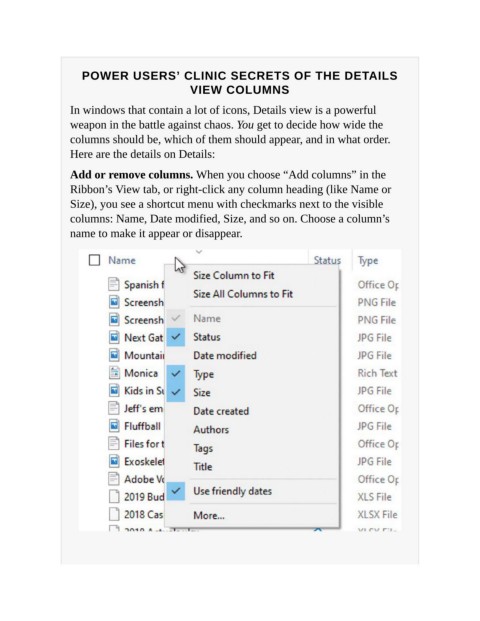
                   Add or remove columns. When you choose “Add columns” in the
                   Ribbon’s View tab, or right-click any column heading (like Name or
                   Size), you see a shortcut menu with checkmarks next to the visible

                   columns: Name, Date modified, Size, and so on. Choose a column’s
                   name to make it appear or disappear.

