


Page 134 - Windows 10 May 2019 Update The Missing Manual: The Book That Should Have Been in the Box
P. 134
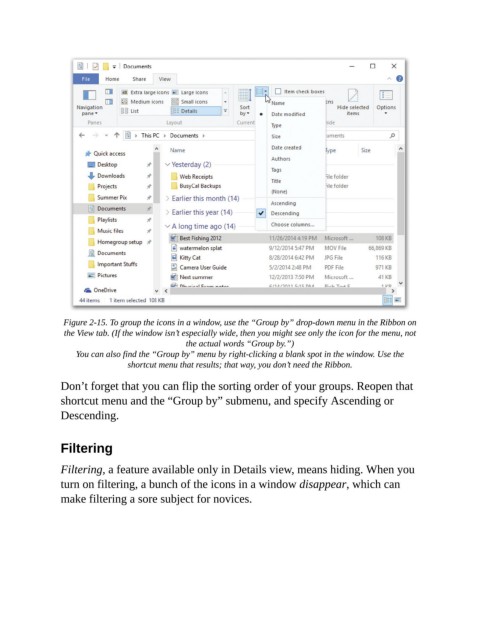
Figure 2-15. To group the icons in a window, use the “Group by” drop-down menu in the Ribbon on
                 the View tab. (If the window isn’t especially wide, then you might see only the icon for the menu, not
                                                the actual words “Group by.”)

                    You can also find the “Group by” menu by right-clicking a blank spot in the window. Use the
                                 shortcut menu that results; that way, you don’t need the Ribbon.

                Don’t forget that you can flip the sorting order of your groups. Reopen that

                shortcut menu and the “Group by” submenu, and specify Ascending or
                Descending.


                Filtering


                Filtering, a feature available only in Details view, means hiding. When you
                turn on filtering, a bunch of the icons in a window disappear, which can
                make filtering a sore subject for novices.

