


Page 147 - Windows 10 May 2019 Update The Missing Manual: The Book That Should Have Been in the Box
P. 147
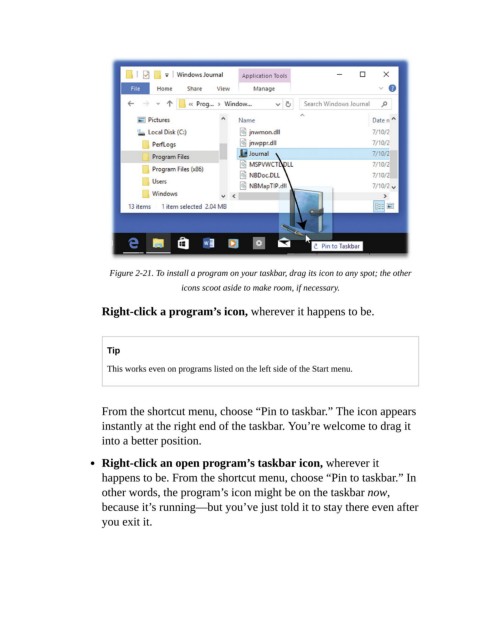
Figure 2-21. To install a program on your taskbar, drag its icon to any spot; the other
                                               icons scoot aside to make room, if necessary.


                           Right-click a program’s icon, wherever it happens to be.


                            Tip

                            This works even on programs listed on the left side of the Start menu.


                           From the shortcut menu, choose “Pin to taskbar.” The icon appears

                           instantly at the right end of the taskbar. You’re welcome to drag it
                           into a better position.


                           Right-click an open program’s taskbar icon, wherever it
                           happens to be. From the shortcut menu, choose “Pin to taskbar.” In

                           other words, the program’s icon might be on the taskbar now,
                           because it’s running—but you’ve just told it to stay there even after
                           you exit it.

