


Page 152 - Windows 10 May 2019 Update The Missing Manual: The Book That Should Have Been in the Box
P. 152
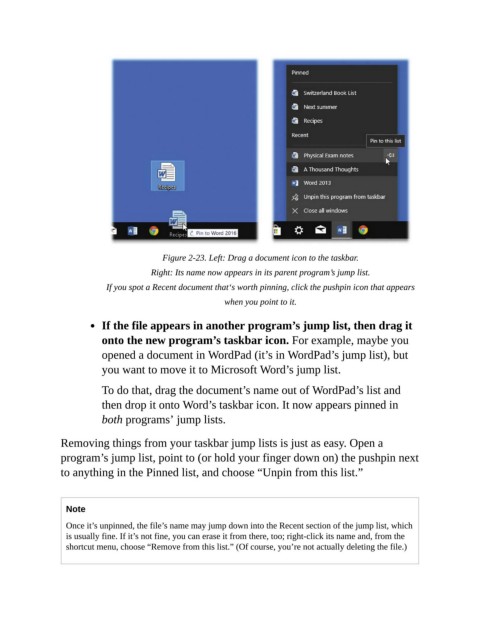
Figure 2-23. Left: Drag a document icon to the taskbar.

                                       Right: Its name now appears in its parent program’s jump list.

                            If you spot a Recent document that‘s worth pinning, click the pushpin icon that appears
                                                          when you point to it.


                           If the file appears in another program’s jump list, then drag it
                           onto the new program’s taskbar icon. For example, maybe you

                           opened a document in WordPad (it’s in WordPad’s jump list), but
                           you want to move it to Microsoft Word’s jump list.

                           To do that, drag the document’s name out of WordPad’s list and

                           then drop it onto Word’s taskbar icon. It now appears pinned in
                           both programs’ jump lists.


                Removing things from your taskbar jump lists is just as easy. Open a
                program’s jump list, point to (or hold your finger down on) the pushpin next
                to anything in the Pinned list, and choose “Unpin from this list.”


                  Note

                  Once it’s unpinned, the file’s name may jump down into the Recent section of the jump list, which
                  is usually fine. If it’s not fine, you can erase it from there, too; right-click its name and, from the
                  shortcut menu, choose “Remove from this list.” (Of course, you’re not actually deleting the file.)

