


Page 181 - Windows 10 May 2019 Update The Missing Manual: The Book That Should Have Been in the Box
P. 181
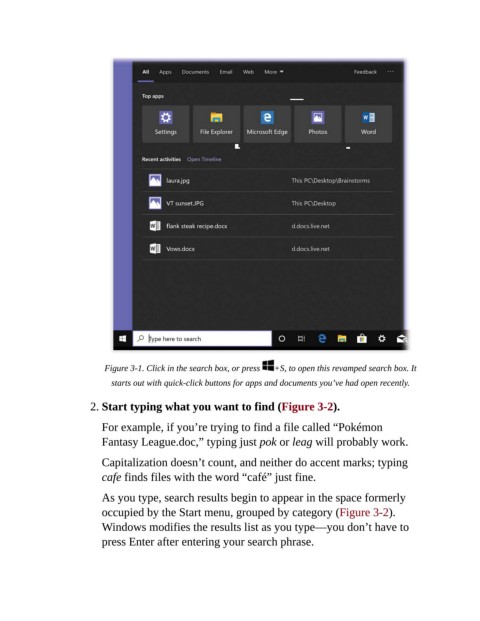
Figure 3-1. Click in the search box, or press   +S, to open this revamped search box. It
                             starts out with quick-click buttons for apps and documents you’ve had open recently.


                        2. Start typing what you want to find (Figure 3-2).

                           For example, if you’re trying to find a file called “Pokémon
                           Fantasy League.doc,” typing just pok or leag will probably work.


                           Capitalization doesn’t count, and neither do accent marks; typing
                           cafe finds files with the word “café” just fine.

                           As you type, search results begin to appear in the space formerly

                           occupied by the Start menu, grouped by category (Figure 3-2).
                           Windows modifies the results list as you type—you don’t have to
                           press Enter after entering your search phrase.

