


Page 182 - Windows 10 May 2019 Update The Missing Manual: The Book That Should Have Been in the Box
P. 182
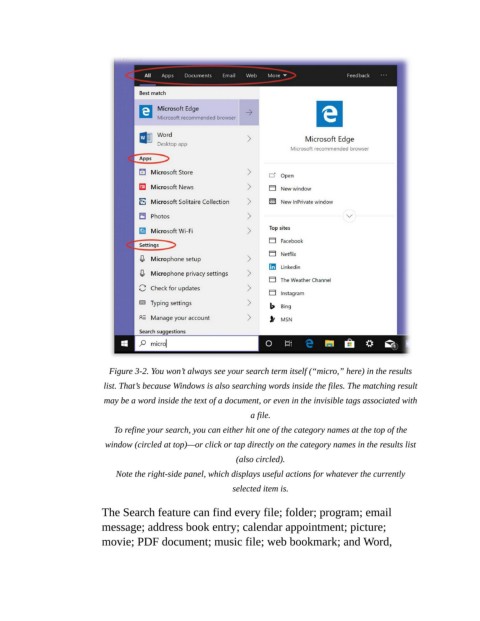
Figure 3-2. You won’t always see your search term itself (“micro,” here) in the results

                           list. That’s because Windows is also searching words inside the files. The matching result
                           may be a word inside the text of a document, or even in the invisible tags associated with
                                                                 a file.

                              To refine your search, you can either hit one of the category names at the top of the
                            window (circled at top)—or click or tap directly on the category names in the results list
                                                             (also circled).

                              Note the right-side panel, which displays useful actions for whatever the currently
                                                            selected item is.


                           The Search feature can find every file; folder; program; email
                           message; address book entry; calendar appointment; picture;
                           movie; PDF document; music file; web bookmark; and Word,

