


Page 190 - Windows 10 May 2019 Update The Missing Manual: The Book That Should Have Been in the Box
P. 190
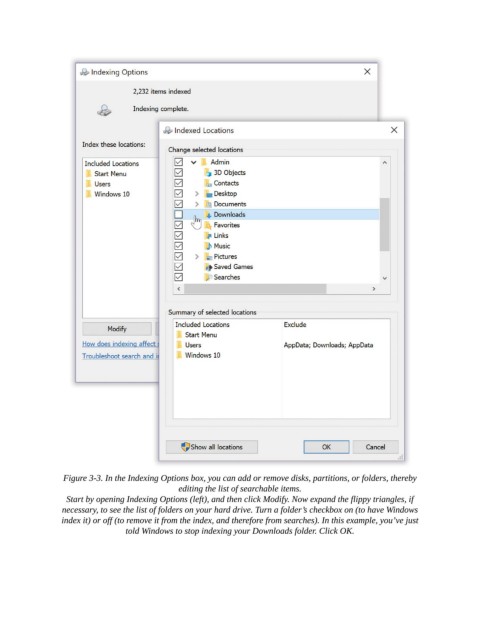
Figure 3-3. In the Indexing Options box, you can add or remove disks, partitions, or folders, thereby
                                              editing the list of searchable items.

                  Start by opening Indexing Options (left), and then click Modify. Now expand the flippy triangles, if
                 necessary, to see the list of folders on your hard drive. Turn a folder’s checkbox on (to have Windows
                 index it) or off (to remove it from the index, and therefore from searches). In this example, you’ve just
                                 told Windows to stop indexing your Downloads folder. Click OK.

