


Page 228 - Windows 10 May 2019 Update The Missing Manual: The Book That Should Have Been in the Box
P. 228
Tip

                  If you’re not in the mood to use a shortcut menu, then just left-drag an icon while pressing Alt. A
                  shortcut appears instantly. (And if your Alt key is missing or broken—hey, it could happen—then
                  drag while pressing Ctrl+Shift instead.)


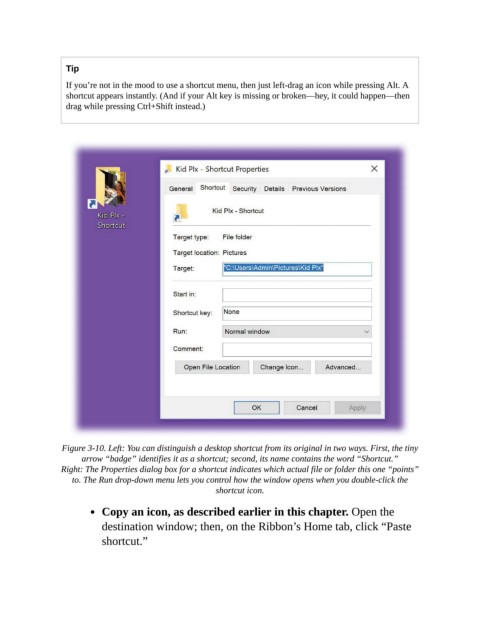
                 Figure 3-10. Left: You can distinguish a desktop shortcut from its original in two ways. First, the tiny
                      arrow “badge” identifies it as a shortcut; second, its name contains the word “Shortcut.”

                Right: The Properties dialog box for a shortcut indicates which actual file or folder this one “points”
                   to. The Run drop-down menu lets you control how the window opens when you double-click the
                                                        shortcut icon.

                           Copy an icon, as described earlier in this chapter. Open the

                           destination window; then, on the Ribbon’s Home tab, click “Paste
                           shortcut.”

