


Page 232 - Windows 10 May 2019 Update The Missing Manual: The Book That Should Have Been in the Box
P. 232
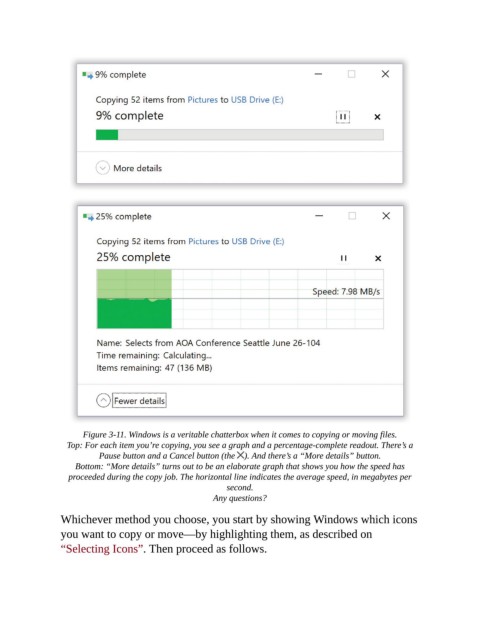
Figure 3-11. Windows is a veritable chatterbox when it comes to copying or moving files.

                  Top: For each item you’re copying, you see a graph and a percentage-complete readout. There’s a
                          Pause button and a Cancel button (the  ). And there’s a “More details” button.

                    Bottom: “More details” turns out to be an elaborate graph that shows you how the speed has
                  proceeded during the copy job. The horizontal line indicates the average speed, in megabytes per
                                                           second.

                                                       Any questions?

                Whichever method you choose, you start by showing Windows which icons
                you want to copy or move—by highlighting them, as described on
                “Selecting Icons”. Then proceed as follows.

