


Page 234 - Windows 10 May 2019 Update The Missing Manual: The Book That Should Have Been in the Box
P. 234
POWER USERS’ CLINIC SECRETS OF THE
                                                  “SEND TO” COMMAND


                             If you find yourself copying or moving certain icons to certain
                             folders or disks with regularity, it’s time to exploit the “Send
                             to” command that lurks in the shortcut menu for almost every

                             icon. Unlike the “Move to” and “Copy to” commands on the
                             Ribbon, “Send to” can send files to services (like a DVD
                             burner or an email program), not just folders. This command

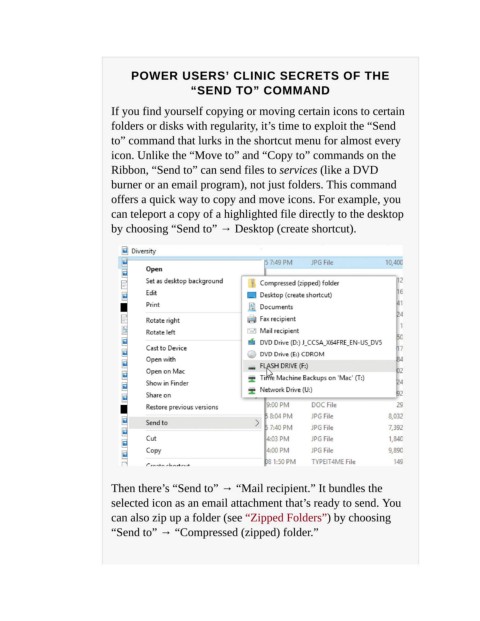
                             offers a quick way to copy and move icons. For example, you
                             can teleport a copy of a highlighted file directly to the desktop
                             by choosing “Send to” → Desktop (create shortcut).


                             Then there’s “Send to” → “Mail recipient.” It bundles the
                             selected icon as an email attachment that’s ready to send. You

                             can also zip up a folder (see “Zipped Folders”) by choosing
                             “Send to” → “Compressed (zipped) folder.”

