


Page 237 - Windows 10 May 2019 Update The Missing Manual: The Book That Should Have Been in the Box
P. 237
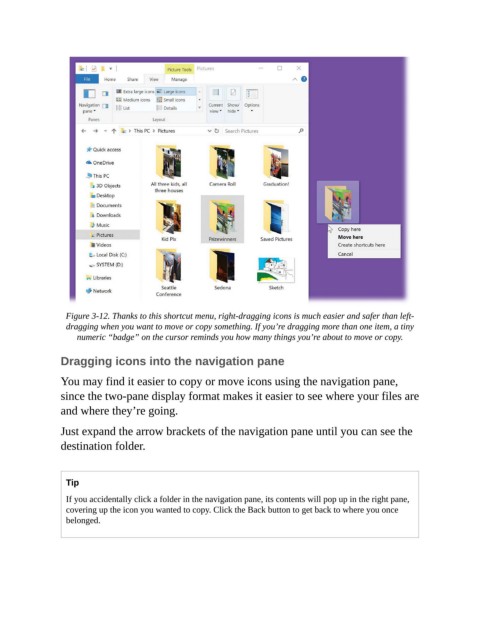
Figure 3-12. Thanks to this shortcut menu, right-dragging icons is much easier and safer than left-
                  dragging when you want to move or copy something. If you’re dragging more than one item, a tiny
                     numeric “badge” on the cursor reminds you how many things you’re about to move or copy.

                Dragging icons into the navigation pane


                You may find it easier to copy or move icons using the navigation pane,
                since the two-pane display format makes it easier to see where your files are
                and where they’re going.


                Just expand the arrow brackets of the navigation pane until you can see the
                destination folder.


                  Tip

                  If you accidentally click a folder in the navigation pane, its contents will pop up in the right pane,
                  covering up the icon you wanted to copy. Click the Back button to get back to where you once
                  belonged.

