


Page 261 - Windows 10 May 2019 Update The Missing Manual: The Book That Should Have Been in the Box
P. 261
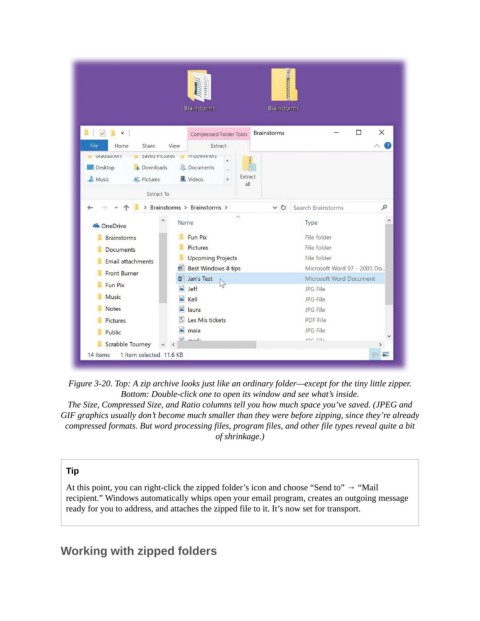
Figure 3-20. Top: A zip archive looks just like an ordinary folder—except for the tiny little zipper.
                                Bottom: Double-click one to open its window and see what’s inside.

                  The Size, Compressed Size, and Ratio columns tell you how much space you’ve saved. (JPEG and
                GIF graphics usually don’t become much smaller than they were before zipping, since they’re already
                  compressed formats. But word processing files, program files, and other file types reveal quite a bit
                                                        of shrinkage.)


                  Tip

                  At this point, you can right-click the zipped folder’s icon and choose “Send to” → “Mail
                  recipient.” Windows automatically whips open your email program, creates an outgoing message
                  ready for you to address, and attaches the zipped file to it. It’s now set for transport.


                Working with zipped folders

