


Page 311 - Windows 10 May 2019 Update The Missing Manual: The Book That Should Have Been in the Box
P. 311
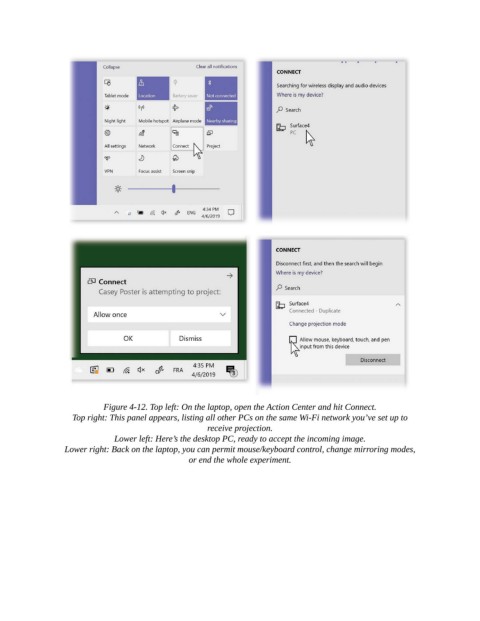
Figure 4-12. Top left: On the laptop, open the Action Center and hit Connect.

                   Top right: This panel appears, listing all other PCs on the same Wi-Fi network you’ve set up to
                                                      receive projection.

                              Lower left: Here’s the desktop PC, ready to accept the incoming image.

                 Lower right: Back on the laptop, you can permit mouse/keyboard control, change mirroring modes,
                                                 or end the whole experiment.

