


Page 316 - Windows 10 May 2019 Update The Missing Manual: The Book That Should Have Been in the Box
P. 316
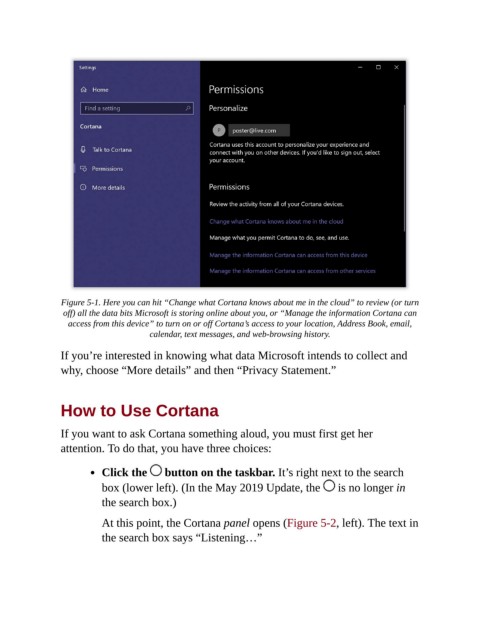
Figure 5-1. Here you can hit “Change what Cortana knows about me in the cloud” to review (or turn
                 off) all the data bits Microsoft is storing online about you, or “Manage the information Cortana can
                  access from this device” to turn on or off Cortana’s access to your location, Address Book, email,
                                       calendar, text messages, and web-browsing history.


                If you’re interested in knowing what data Microsoft intends to collect and
                why, choose “More details” and then “Privacy Statement.”


                How to Use Cortana


                If you want to ask Cortana something aloud, you must first get her
                attention. To do that, you have three choices:


                           Click the       button on the taskbar. It’s right next to the search

                           box (lower left). (In the May 2019 Update, the   is no longer in
                           the search box.)

                           At this point, the Cortana panel opens (Figure 5-2, left). The text in

                           the search box says “Listening…”

