


Page 358 - Windows 10 May 2019 Update The Missing Manual: The Book That Should Have Been in the Box
P. 358
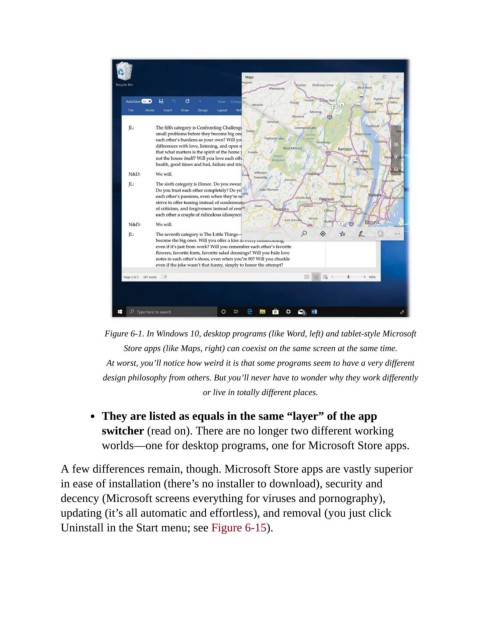
Figure 6-1. In Windows 10, desktop programs (like Word, left) and tablet-style Microsoft

                                Store apps (like Maps, right) can coexist on the same screen at the same time.

                            At worst, you’ll notice how weird it is that some programs seem to have a very different
                           design philosophy from others. But you’ll never have to wonder why they work differently

                                                     or live in totally different places.

                           They are listed as equals in the same “layer” of the app

                           switcher (read on). There are no longer two different working
                           worlds—one for desktop programs, one for Microsoft Store apps.


                A few differences remain, though. Microsoft Store apps are vastly superior
                in ease of installation (there’s no installer to download), security and
                decency (Microsoft screens everything for viruses and pornography),

                updating (it’s all automatic and effortless), and removal (you just click
                Uninstall in the Start menu; see Figure 6-15).

