


Page 382 - Windows 10 May 2019 Update The Missing Manual: The Book That Should Have Been in the Box
P. 382
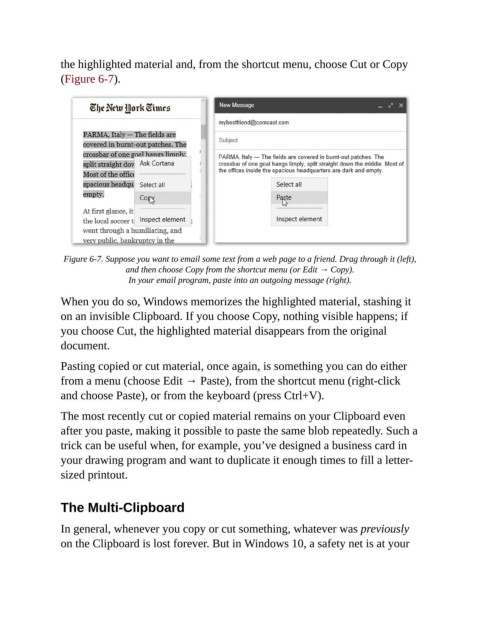
the highlighted material and, from the shortcut menu, choose Cut or Copy

                (Figure 6-7).


                 Figure 6-7. Suppose you want to email some text from a web page to a friend. Drag through it (left),
                                 and then choose Copy from the shortcut menu (or Edit → Copy).
                                  In your email program, paste into an outgoing message (right).

                When you do so, Windows memorizes the highlighted material, stashing it
                on an invisible Clipboard. If you choose Copy, nothing visible happens; if

                you choose Cut, the highlighted material disappears from the original
                document.

                Pasting copied or cut material, once again, is something you can do either

                from a menu (choose Edit → Paste), from the shortcut menu (right-click
                and choose Paste), or from the keyboard (press Ctrl+V).

                The most recently cut or copied material remains on your Clipboard even

                after you paste, making it possible to paste the same blob repeatedly. Such a
                trick can be useful when, for example, you’ve designed a business card in
                your drawing program and want to duplicate it enough times to fill a letter-

                sized printout.


                The Multi-Clipboard

                In general, whenever you copy or cut something, whatever was previously

                on the Clipboard is lost forever. But in Windows 10, a safety net is at your

