


Page 417 - Windows 10 May 2019 Update The Missing Manual: The Book That Should Have Been in the Box
P. 417
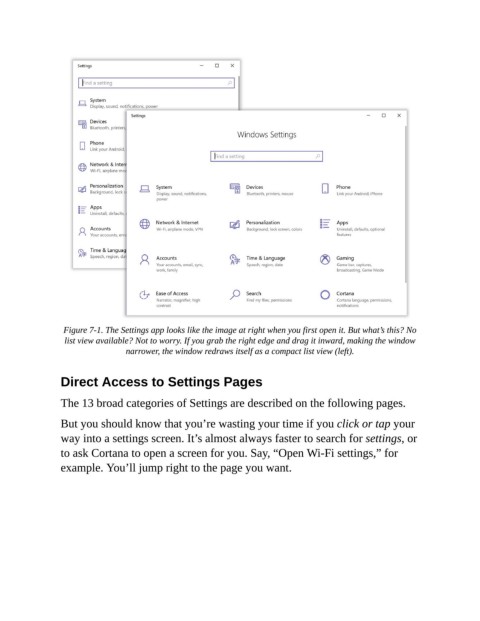
Figure 7-1. The Settings app looks like the image at right when you first open it. But what’s this? No
                 list view available? Not to worry. If you grab the right edge and drag it inward, making the window
                                 narrower, the window redraws itself as a compact list view (left).


                Direct Access to Settings Pages

                The 13 broad categories of Settings are described on the following pages.

                But you should know that you’re wasting your time if you click or tap your

                way into a settings screen. It’s almost always faster to search for settings, or
                to ask Cortana to open a screen for you. Say, “Open Wi-Fi settings,” for

                example. You’ll jump right to the page you want.

