


Page 412 - Windows 10 May 2019 Update The Missing Manual: The Book That Should Have Been in the Box
P. 412
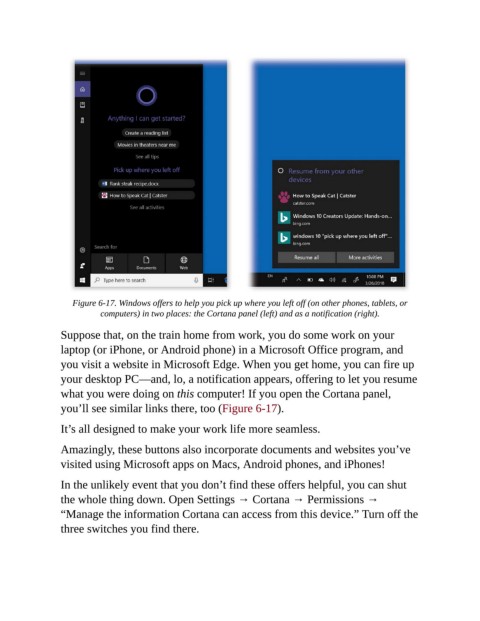
Figure 6-17. Windows offers to help you pick up where you left off (on other phones, tablets, or
                           computers) in two places: the Cortana panel (left) and as a notification (right).

                Suppose that, on the train home from work, you do some work on your

                laptop (or iPhone, or Android phone) in a Microsoft Office program, and
                you visit a website in Microsoft Edge. When you get home, you can fire up
                your desktop PC—and, lo, a notification appears, offering to let you resume

                what you were doing on this computer! If you open the Cortana panel,
                you’ll see similar links there, too (Figure 6-17).

                It’s all designed to make your work life more seamless.


                Amazingly, these buttons also incorporate documents and websites you’ve
                visited using Microsoft apps on Macs, Android phones, and iPhones!

                In the unlikely event that you don’t find these offers helpful, you can shut

                the whole thing down. Open Settings → Cortana → Permissions →
                “Manage the information Cortana can access from this device.” Turn off the
                three switches you find there.

