


Page 427 - Windows 10 May 2019 Update The Missing Manual: The Book That Should Have Been in the Box
P. 427
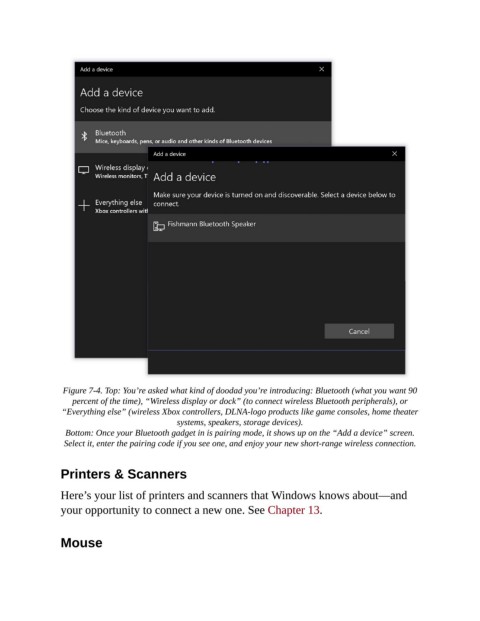
Figure 7-4. Top: You’re asked what kind of doodad you’re introducing: Bluetooth (what you want 90
                   percent of the time), “Wireless display or dock” (to connect wireless Bluetooth peripherals), or
                 “Everything else” (wireless Xbox controllers, DLNA-logo products like game consoles, home theater
                                              systems, speakers, storage devices).

                  Bottom: Once your Bluetooth gadget in is pairing mode, it shows up on the “Add a device” screen.
                 Select it, enter the pairing code if you see one, and enjoy your new short-range wireless connection.


                Printers & Scanners


                Here’s your list of printers and scanners that Windows knows about—and
                your opportunity to connect a new one. See Chapter 13.


                Mouse

