


Page 463 - Windows 10 May 2019 Update The Missing Manual: The Book That Should Have Been in the Box
P. 463
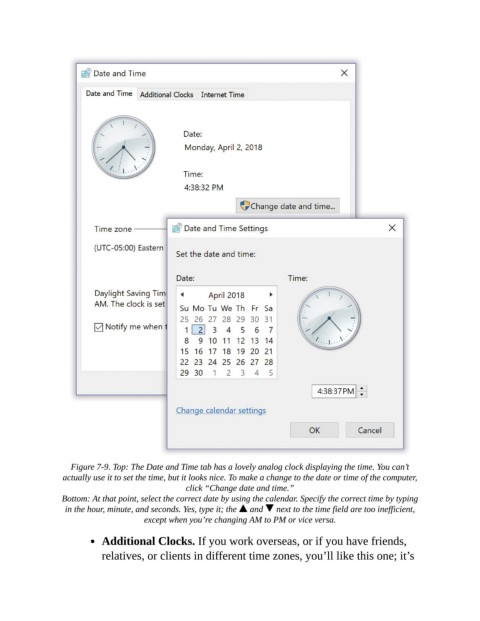
Figure 7-9. Top: The Date and Time tab has a lovely analog clock displaying the time. You can’t
                 actually use it to set the time, but it looks nice. To make a change to the date or time of the computer,
                                                click “Change date and time.”

                 Bottom: At that point, select the correct date by using the calendar. Specify the correct time by typing
                  in the hour, minute, and seconds. Yes, type it; the   and    next to the time field are too inefficient,
                                      except when you’re changing AM to PM or vice versa.

                           Additional Clocks. If you work overseas, or if you have friends,

                           relatives, or clients in different time zones, you’ll like this one; it’s

