


Page 495 - Windows 10 May 2019 Update The Missing Manual: The Book That Should Have Been in the Box
P. 495
Tip

                  But wait, there’s a secret here! If you point to the Day button without clicking, you see the
                  indicator for a drop-down menu. It offers “1 day,” “2 day,” and so on up to 6. It’s letting you
                  specify how many Day columns fit on each screen. In other words, you have a middle ground
                  between Day view and Week view.


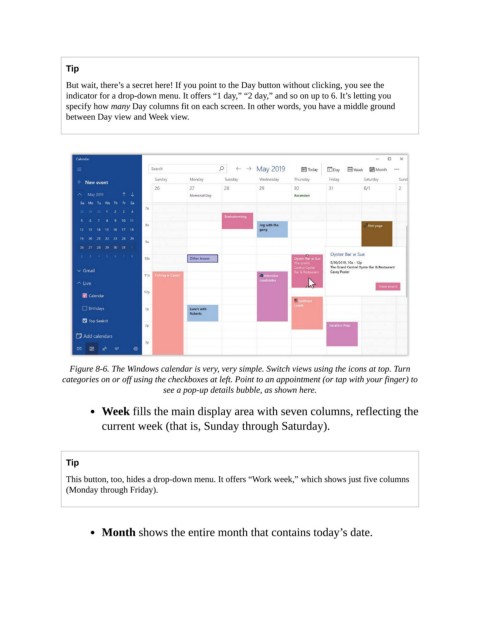
                   Figure 8-6. The Windows calendar is very, very simple. Switch views using the icons at top. Turn
                 categories on or off using the checkboxes at left. Point to an appointment (or tap with your finger) to
                                           see a pop-up details bubble, as shown here.

                           Week fills the main display area with seven columns, reflecting the

                           current week (that is, Sunday through Saturday).


                  Tip

                  This button, too, hides a drop-down menu. It offers “Work week,” which shows just five columns
                  (Monday through Friday).


                           Month shows the entire month that contains today’s date.

