


Page 493 - Windows 10 May 2019 Update The Missing Manual: The Book That Should Have Been in the Box
P. 493
It would be a little silly for a major operating system to come without a

                pocket calculator app, wouldn’t it? Yep.

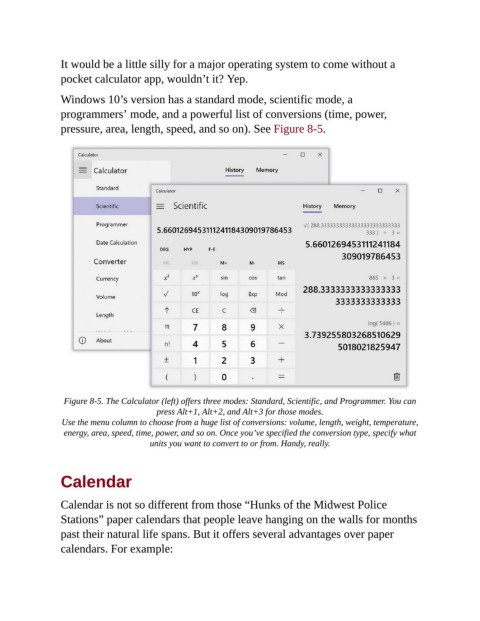
                Windows 10’s version has a standard mode, scientific mode, a
                programmers’ mode, and a powerful list of conversions (time, power,
                pressure, area, length, speed, and so on). See Figure 8-5.


                 Figure 8-5. The Calculator (left) offers three modes: Standard, Scientific, and Programmer. You can
                                         press Alt+1, Alt+2, and Alt+3 for those modes.

                 Use the menu column to choose from a huge list of conversions: volume, length, weight, temperature,
                 energy, area, speed, time, power, and so on. Once you’ve specified the conversion type, specify what
                                       units you want to convert to or from. Handy, really.


                Calendar


                Calendar is not so different from those “Hunks of the Midwest Police

                Stations” paper calendars that people leave hanging on the walls for months
                past their natural life spans. But it offers several advantages over paper
                calendars. For example:

