


Page 540 - Windows 10 May 2019 Update The Missing Manual: The Book That Should Have Been in the Box
P. 540
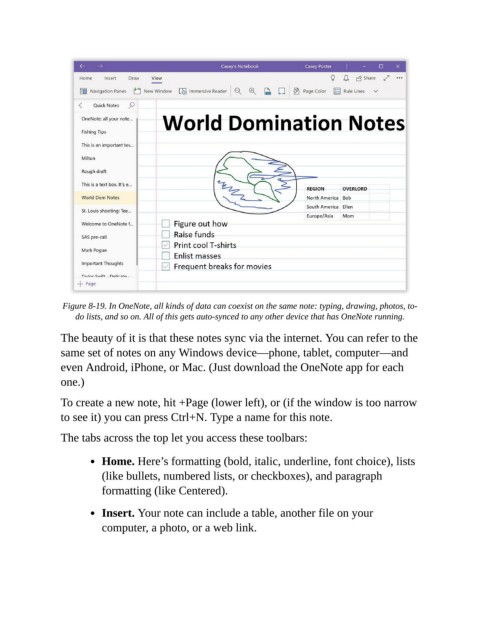
Figure 8-19. In OneNote, all kinds of data can coexist on the same note: typing, drawing, photos, to-
                    do lists, and so on. All of this gets auto-synced to any other device that has OneNote running.

                The beauty of it is that these notes sync via the internet. You can refer to the
                same set of notes on any Windows device—phone, tablet, computer—and

                even Android, iPhone, or Mac. (Just download the OneNote app for each
                one.)

                To create a new note, hit +Page (lower left), or (if the window is too narrow

                to see it) you can press Ctrl+N. Type a name for this note.

                The tabs across the top let you access these toolbars:

                           Home. Here’s formatting (bold, italic, underline, font choice), lists

                           (like bullets, numbered lists, or checkboxes), and paragraph
                           formatting (like Centered).


                           Insert. Your note can include a table, another file on your
                           computer, a photo, or a web link.

