


Page 543 - Windows 10 May 2019 Update The Missing Manual: The Book That Should Have Been in the Box
P. 543
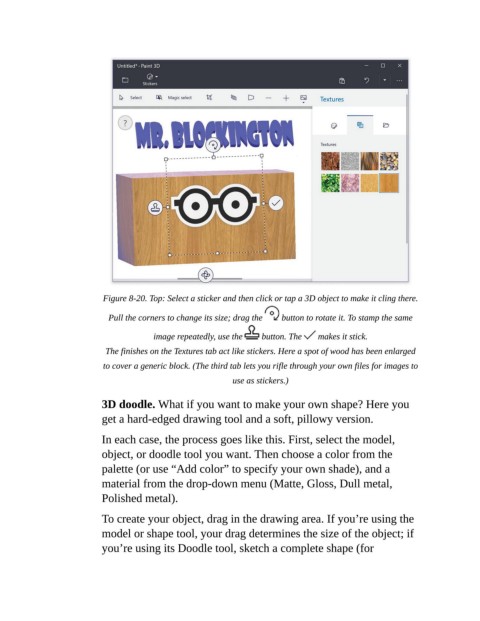
Figure 8-20. Top: Select a sticker and then click or tap a 3D object to make it cling there.

                             Pull the corners to change its size; drag the    button to rotate it. To stamp the same

                                        image repeatedly, use the    button. The    makes it stick.

                            The finishes on the Textures tab act like stickers. Here a spot of wood has been enlarged

                           to cover a generic block. (The third tab lets you rifle through your own files for images to
                                                            use as stickers.)

                           3D doodle. What if you want to make your own shape? Here you

                           get a hard-edged drawing tool and a soft, pillowy version.

                           In each case, the process goes like this. First, select the model,
                           object, or doodle tool you want. Then choose a color from the

                           palette (or use “Add color” to specify your own shade), and a
                           material from the drop-down menu (Matte, Gloss, Dull metal,
                           Polished metal).


                           To create your object, drag in the drawing area. If you’re using the
                           model or shape tool, your drag determines the size of the object; if
                           you’re using its Doodle tool, sketch a complete shape (for

