


Page 565 - Windows 10 May 2019 Update The Missing Manual: The Book That Should Have Been in the Box
P. 565
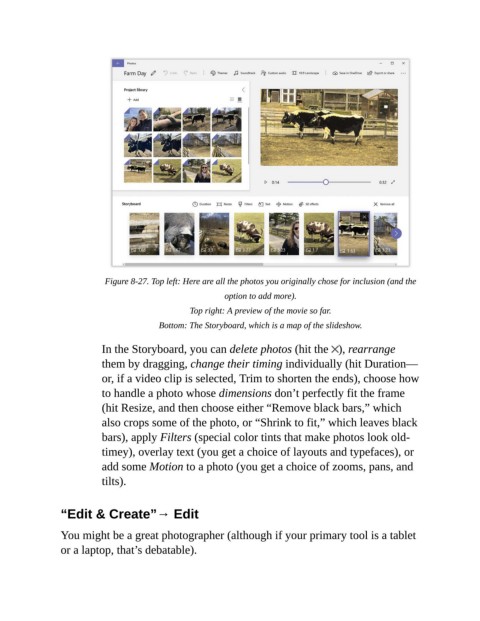
Figure 8-27. Top left: Here are all the photos you originally chose for inclusion (and the
                                                          option to add more).

                                                 Top right: A preview of the movie so far.

                                         Bottom: The Storyboard, which is a map of the slideshow.


                           In the Storyboard, you can delete photos (hit the  ), rearrange
                           them by dragging, change their timing individually (hit Duration—
                           or, if a video clip is selected, Trim to shorten the ends), choose how

                           to handle a photo whose dimensions don’t perfectly fit the frame
                           (hit Resize, and then choose either “Remove black bars,” which
                           also crops some of the photo, or “Shrink to fit,” which leaves black

                           bars), apply Filters (special color tints that make photos look old-
                           timey), overlay text (you get a choice of layouts and typefaces), or
                           add some Motion to a photo (you get a choice of zooms, pans, and

                           tilts).


                “Edit & Create”→ Edit

                You might be a great photographer (although if your primary tool is a tablet

                or a laptop, that’s debatable).

