


Page 570 - Windows 10 May 2019 Update The Missing Manual: The Book That Should Have Been in the Box
P. 570
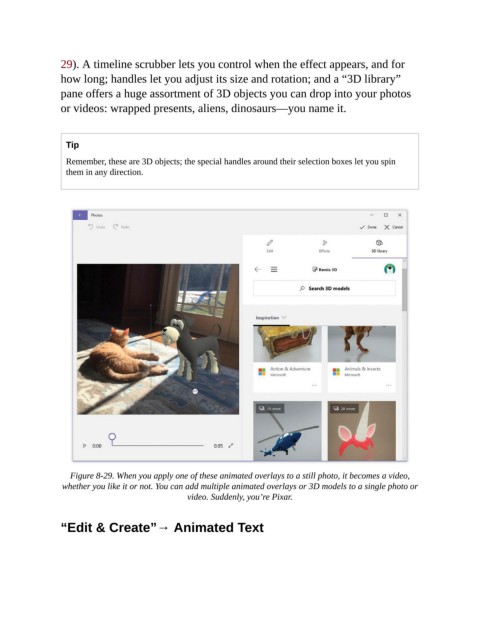
29). A timeline scrubber lets you control when the effect appears, and for

                how long; handles let you adjust its size and rotation; and a “3D library”
                pane offers a huge assortment of 3D objects you can drop into your photos
                or videos: wrapped presents, aliens, dinosaurs—you name it.


                  Tip

                  Remember, these are 3D objects; the special handles around their selection boxes let you spin
                  them in any direction.


                   Figure 8-29. When you apply one of these animated overlays to a still photo, it becomes a video,
                 whether you like it or not. You can add multiple animated overlays or 3D models to a single photo or
                                                 video. Suddenly, you’re Pixar.


                “Edit & Create”→ Animated Text

