


Page 583 - Windows 10 May 2019 Update The Missing Manual: The Book That Should Have Been in the Box
P. 583
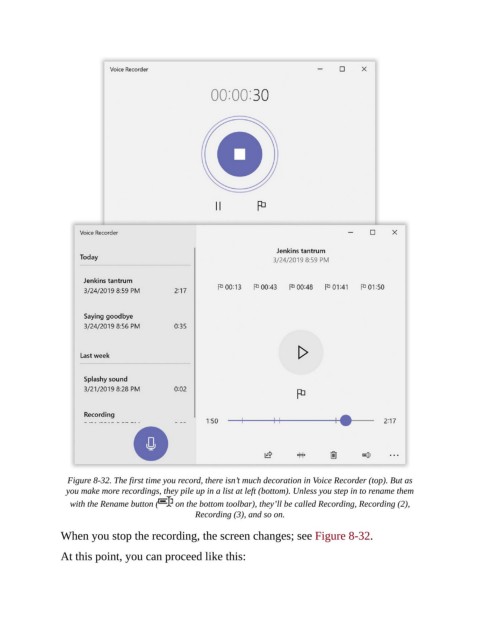
Figure 8-32. The first time you record, there isn’t much decoration in Voice Recorder (top). But as
                  you make more recordings, they pile up in a list at left (bottom). Unless you step in to rename them
                   with the Rename button (   on the bottom toolbar), they’ll be called Recording, Recording (2),
                                                   Recording (3), and so on.

                When you stop the recording, the screen changes; see Figure 8-32.


                At this point, you can proceed like this:

