


Page 605 - Windows 10 May 2019 Update The Missing Manual: The Book That Should Have Been in the Box
P. 605
invert the colors like a film negative, and so on. The Settings screen also

                reminds you of the keyboard shortcuts that let you operate these features.


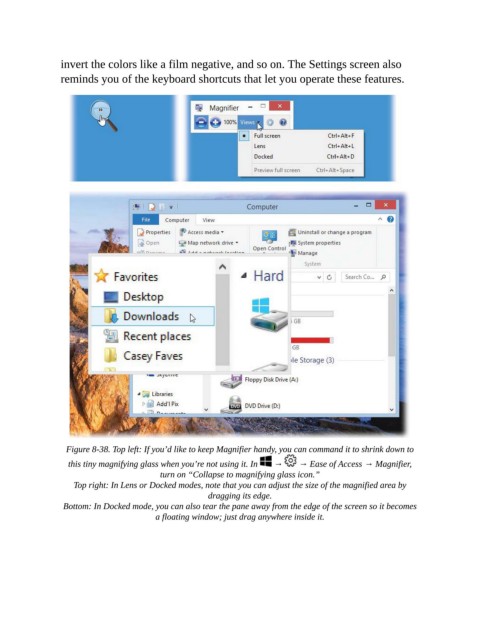
                  Figure 8-38. Top left: If you’d like to keep Magnifier handy, you can command it to shrink down to
                  this tiny magnifying glass when you’re not using it. In    →    → Ease of Access → Magnifier,
                                          turn on “Collapse to magnifying glass icon.”

                    Top right: In Lens or Docked modes, note that you can adjust the size of the magnified area by
                                                      dragging its edge.

                 Bottom: In Docked mode, you can also tear the pane away from the edge of the screen so it becomes
                                         a floating window; just drag anywhere inside it.

