


Page 664 - Windows 10 May 2019 Update The Missing Manual: The Book That Should Have Been in the Box
P. 664
Second column: The list of messages.


                           Third column: The actual message body of whatever you’ve
                           selected in the list.


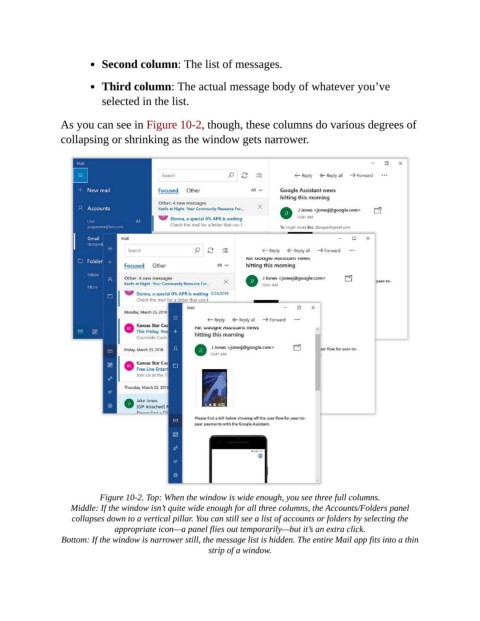
                As you can see in Figure 10-2, though, these columns do various degrees of
                collapsing or shrinking as the window gets narrower.


                          Figure 10-2. Top: When the window is wide enough, you see three full columns.

                   Middle: If the window isn’t quite wide enough for all three columns, the Accounts/Folders panel
                   collapses down to a vertical pillar. You can still see a list of accounts or folders by selecting the
                              appropriate icon—a panel flies out temporarily—but it’s an extra click.

                 Bottom: If the window is narrower still, the message list is hidden. The entire Mail app fits into a thin
                                                      strip of a window.

