


Page 666 - Windows 10 May 2019 Update The Missing Manual: The Book That Should Have Been in the Box
P. 666
Note

                  If you’re confused by the consecutive listing of emails that may, in fact, have been sent weeks
                  apart, you can turn this feature off. Choose    → “Message list,” and select “Individual
                  messages” instead of “Grouped by conversation.”


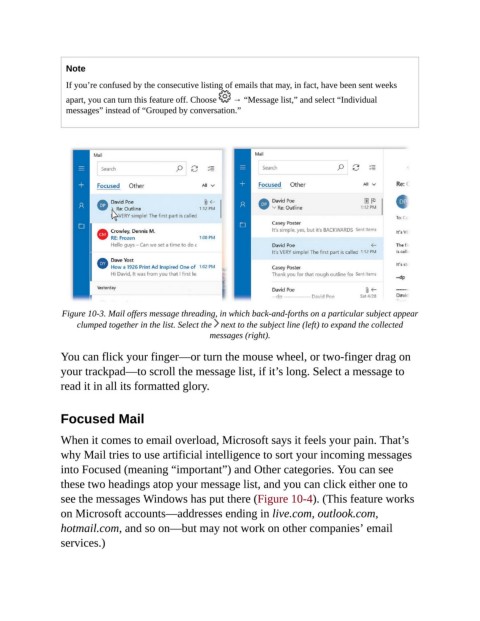
                 Figure 10-3. Mail offers message threading, in which back-and-forths on a particular subject appear
                     clumped together in the list. Select the   next to the subject line (left) to expand the collected
                                                      messages (right).

                You can flick your finger—or turn the mouse wheel, or two-finger drag on
                your trackpad—to scroll the message list, if it’s long. Select a message to
                read it in all its formatted glory.


                Focused Mail

                When it comes to email overload, Microsoft says it feels your pain. That’s

                why Mail tries to use artificial intelligence to sort your incoming messages
                into Focused (meaning “important”) and Other categories. You can see
                these two headings atop your message list, and you can click either one to
                see the messages Windows has put there (Figure 10-4). (This feature works

                on Microsoft accounts—addresses ending in live.com, outlook.com,
                hotmail.com, and so on—but may not work on other companies’ email

                services.)

