


Page 667 - Windows 10 May 2019 Update The Missing Manual: The Book That Should Have Been in the Box
P. 667
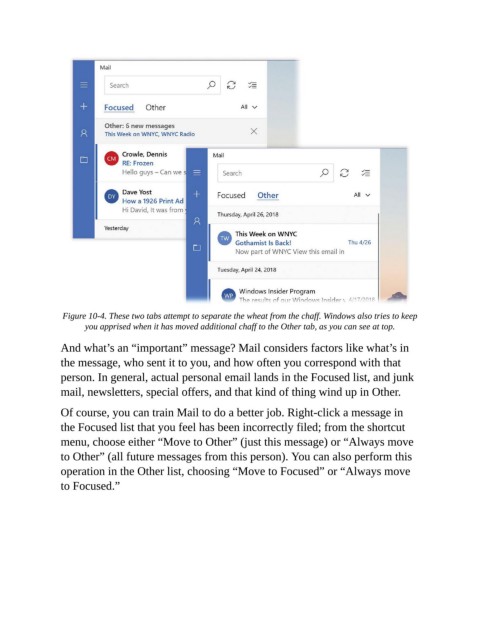
Figure 10-4. These two tabs attempt to separate the wheat from the chaff. Windows also tries to keep
                       you apprised when it has moved additional chaff to the Other tab, as you can see at top.

                And what’s an “important” message? Mail considers factors like what’s in

                the message, who sent it to you, and how often you correspond with that
                person. In general, actual personal email lands in the Focused list, and junk
                mail, newsletters, special offers, and that kind of thing wind up in Other.


                Of course, you can train Mail to do a better job. Right-click a message in
                the Focused list that you feel has been incorrectly filed; from the shortcut
                menu, choose either “Move to Other” (just this message) or “Always move

                to Other” (all future messages from this person). You can also perform this
                operation in the Other list, choosing “Move to Focused” or “Always move
                to Focused.”

