


Page 711 - Windows 10 May 2019 Update The Missing Manual: The Book That Should Have Been in the Box
P. 711
History items, no cookies, no saved password list, no AutoFill entries, and

                so on. In other words, what happens in InPrivate browsing stays in
                InPrivate browsing.

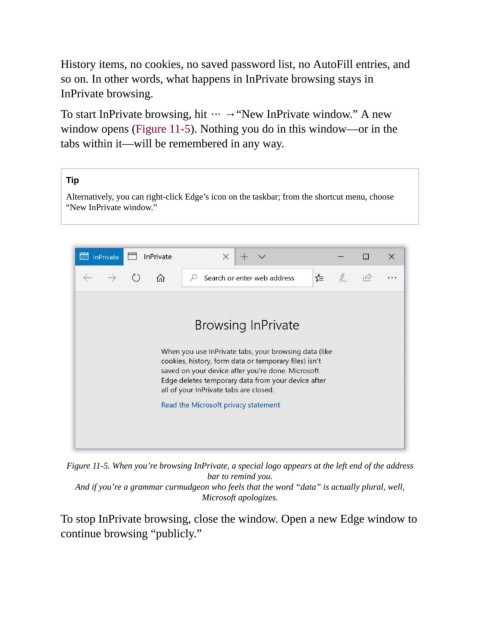
                To start InPrivate browsing, hit   →“New InPrivate window.” A new
                window opens (Figure 11-5). Nothing you do in this window—or in the

                tabs within it—will be remembered in any way.


                  Tip
                  Alternatively, you can right-click Edge’s icon on the taskbar; from the shortcut menu, choose
                  “New InPrivate window.”


                  Figure 11-5. When you’re browsing InPrivate, a special logo appears at the left end of the address
                                                      bar to remind you.

                    And if you’re a grammar curmudgeon who feels that the word “data” is actually plural, well,
                                                    Microsoft apologizes.


                To stop InPrivate browsing, close the window. Open a new Edge window to
                continue browsing “publicly.”

