


Page 735 - Windows 10 May 2019 Update The Missing Manual: The Book That Should Have Been in the Box
P. 735
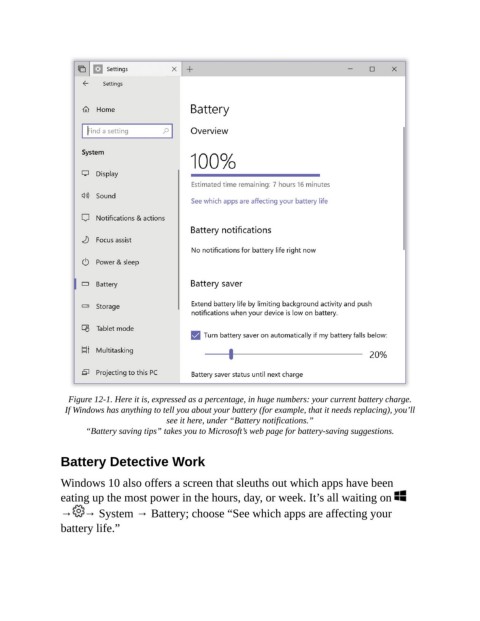
Figure 12-1. Here it is, expressed as a percentage, in huge numbers: your current battery charge.

                 If Windows has anything to tell you about your battery (for example, that it needs replacing), you’ll
                                           see it here, under “Battery notifications.”

                       “Battery saving tips” takes you to Microsoft’s web page for battery-saving suggestions.

                Battery Detective Work


                Windows 10 also offers a screen that sleuths out which apps have been
                eating up the most power in the hours, day, or week. It’s all waiting on

                →     → System → Battery; choose “See which apps are affecting your
                battery life.”

