


Page 738 - Windows 10 May 2019 Update The Missing Manual: The Book That Should Have Been in the Box
P. 738
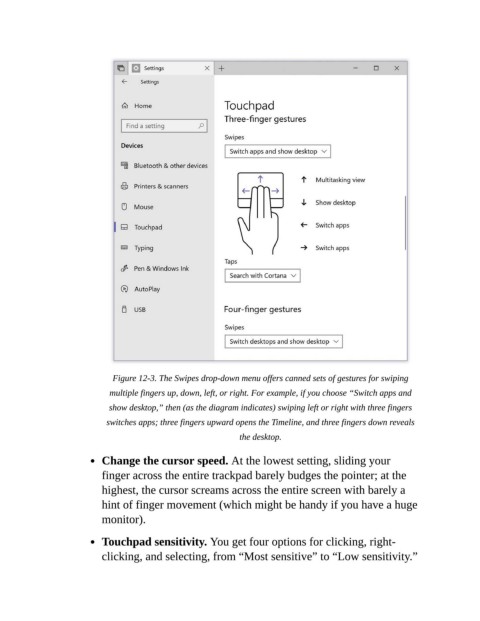
Figure 12-3. The Swipes drop-down menu offers canned sets of gestures for swiping
                             multiple fingers up, down, left, or right. For example, if you choose “Switch apps and
                             show desktop,” then (as the diagram indicates) swiping left or right with three fingers
                            switches apps; three fingers upward opens the Timeline, and three fingers down reveals

                                                              the desktop.

                           Change the cursor speed. At the lowest setting, sliding your

                           finger across the entire trackpad barely budges the pointer; at the
                           highest, the cursor screams across the entire screen with barely a
                           hint of finger movement (which might be handy if you have a huge

                           monitor).

                           Touchpad sensitivity. You get four options for clicking, right-

                           clicking, and selecting, from “Most sensitive” to “Low sensitivity.”

