


Page 782 - Windows 10 May 2019 Update The Missing Manual: The Book That Should Have Been in the Box
P. 782
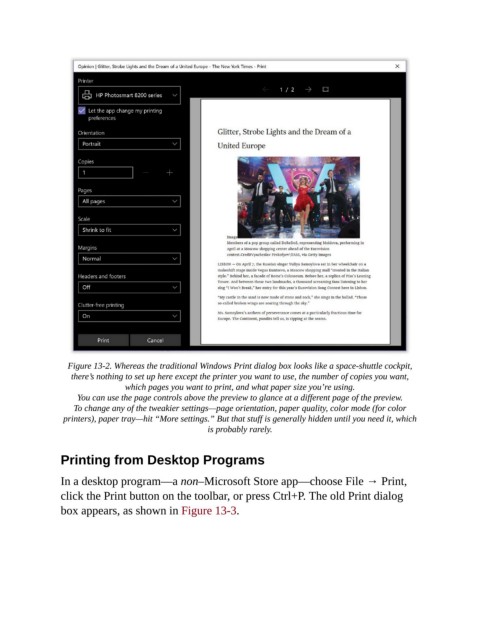
Figure 13-2. Whereas the traditional Windows Print dialog box looks like a space-shuttle cockpit,
                   there’s nothing to set up here except the printer you want to use, the number of copies you want,
                                 which pages you want to print, and what paper size you’re using.

                     You can use the page controls above the preview to glance at a different page of the preview.
                    To change any of the tweakier settings—page orientation, paper quality, color mode (for color
                 printers), paper tray—hit “More settings.” But that stuff is generally hidden until you need it, which
                                                      is probably rarely.


                Printing from Desktop Programs


                In a desktop program—a non–Microsoft Store app—choose File → Print,
                click the Print button on the toolbar, or press Ctrl+P. The old Print dialog
                box appears, as shown in Figure 13-3.

