


Page 793 - Windows 10 May 2019 Update The Missing Manual: The Book That Should Have Been in the Box
P. 793
(using the Zoom commands in the   menu). See “Edge as PDF (and

                Ebook) Reader” for more on Edge’s PDF mode.


                Creating PDF Files


                Opening, schmopening—what’s really exciting in Windows 10 is the ability
                to create your own PDF files.


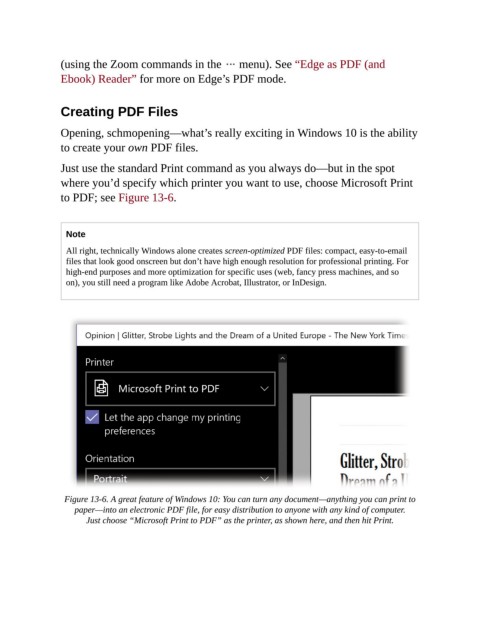
                Just use the standard Print command as you always do—but in the spot
                where you’d specify which printer you want to use, choose Microsoft Print
                to PDF; see Figure 13-6.


                  Note

                  All right, technically Windows alone creates screen-optimized PDF files: compact, easy-to-email
                  files that look good onscreen but don’t have high enough resolution for professional printing. For
                  high-end purposes and more optimization for specific uses (web, fancy press machines, and so
                  on), you still need a program like Adobe Acrobat, Illustrator, or InDesign.


                 Figure 13-6. A great feature of Windows 10: You can turn any document—anything you can print to
                    paper—into an electronic PDF file, for easy distribution to anyone with any kind of computer.
                       Just choose “Microsoft Print to PDF” as the printer, as shown here, and then hit Print.

