


Page 790 - Windows 10 May 2019 Update The Missing Manual: The Book That Should Have Been in the Box
P. 790
Windows comes with several dozen great-looking fonts: Arial, Book

                Antiqua, Garamond, Times New Roman, and so on. But the world is filled
                with additional fonts. You may find them on websites or in the catalogs of
                commercial typeface companies. Sometimes you’ll find new fonts on your
                system after installing a new program, courtesy of its installer.


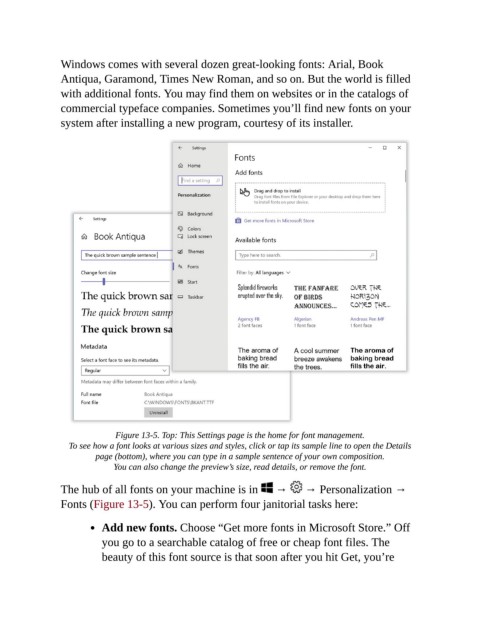
                              Figure 13-5. Top: This Settings page is the home for font management.

                  To see how a font looks at various sizes and styles, click or tap its sample line to open the Details
                         page (bottom), where you can type in a sample sentence of your own composition.
                              You can also change the preview’s size, read details, or remove the font.

                The hub of all fonts on your machine is in   →   → Personalization →
                Fonts (Figure 13-5). You can perform four janitorial tasks here:


                           Add new fonts. Choose “Get more fonts in Microsoft Store.” Off
                           you go to a searchable catalog of free or cheap font files. The

                           beauty of this font source is that soon after you hit Get, you’re

