


Page 795 - Windows 10 May 2019 Update The Missing Manual: The Book That Should Have Been in the Box
P. 795
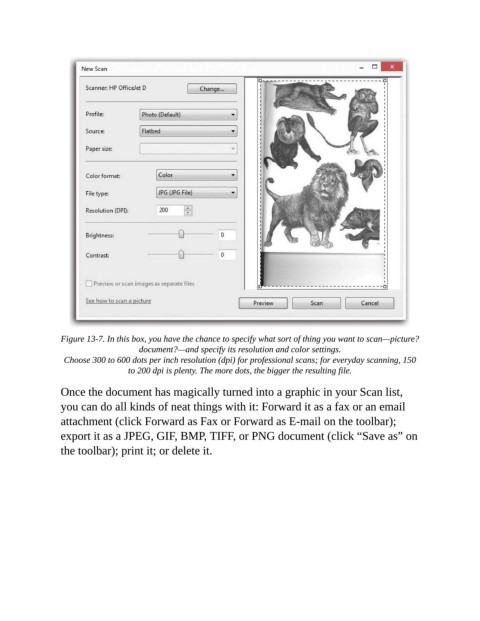
Figure 13-7. In this box, you have the chance to specify what sort of thing you want to scan—picture?
                                    document?—and specify its resolution and color settings.

                 Choose 300 to 600 dots per inch resolution (dpi) for professional scans; for everyday scanning, 150
                                  to 200 dpi is plenty. The more dots, the bigger the resulting file.

                Once the document has magically turned into a graphic in your Scan list,

                you can do all kinds of neat things with it: Forward it as a fax or an email
                attachment (click Forward as Fax or Forward as E-mail on the toolbar);
                export it as a JPEG, GIF, BMP, TIFF, or PNG document (click “Save as” on

                the toolbar); print it; or delete it.

