


Page 841 - Windows 10 May 2019 Update The Missing Manual: The Book That Should Have Been in the Box
P. 841
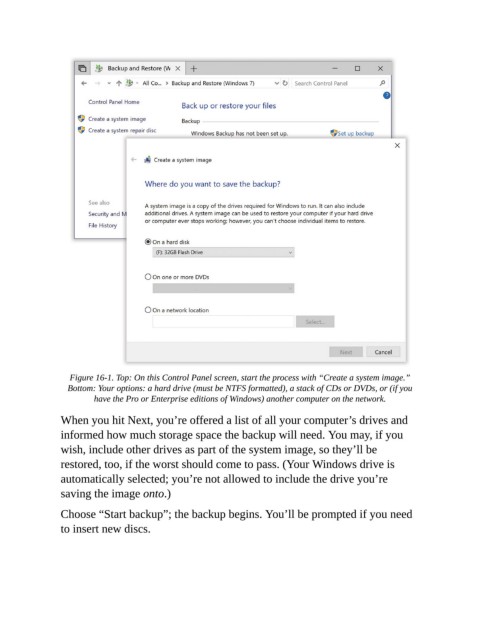
Figure 16-1. Top: On this Control Panel screen, start the process with “Create a system image.”
                  Bottom: Your options: a hard drive (must be NTFS formatted), a stack of CDs or DVDs, or (if you
                         have the Pro or Enterprise editions of Windows) another computer on the network.

                When you hit Next, you’re offered a list of all your computer’s drives and
                informed how much storage space the backup will need. You may, if you

                wish, include other drives as part of the system image, so they’ll be
                restored, too, if the worst should come to pass. (Your Windows drive is
                automatically selected; you’re not allowed to include the drive you’re

                saving the image onto.)

                Choose “Start backup”; the backup begins. You’ll be prompted if you need
                to insert new discs.

