


Page 846 - Windows 10 May 2019 Update The Missing Manual: The Book That Should Have Been in the Box
P. 846
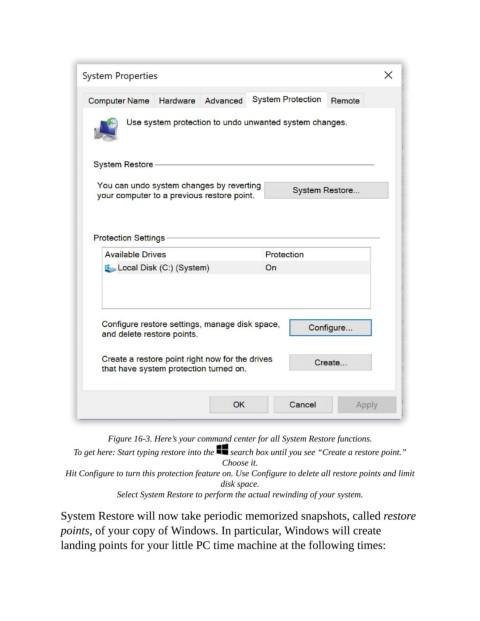
Figure 16-3. Here’s your command center for all System Restore functions.

                    To get here: Start typing restore into the    search box until you see “Create a restore point.”
                                                          Choose it.

                  Hit Configure to turn this protection feature on. Use Configure to delete all restore points and limit
                                                         disk space.

                               Select System Restore to perform the actual rewinding of your system.
                System Restore will now take periodic memorized snapshots, called restore

                points, of your copy of Windows. In particular, Windows will create
                landing points for your little PC time machine at the following times:

