


Page 867 - Windows 10 May 2019 Update The Missing Manual: The Book That Should Have Been in the Box
P. 867
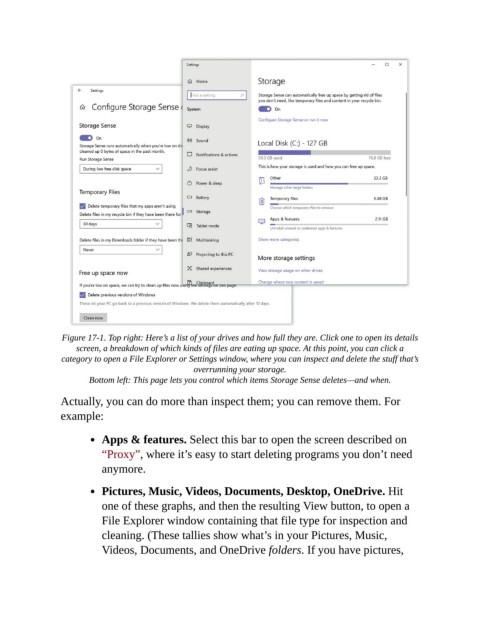
Figure 17-1. Top right: Here’s a list of your drives and how full they are. Click one to open its details
                    screen, a breakdown of which kinds of files are eating up space. At this point, you can click a
                 category to open a File Explorer or Settings window, where you can inspect and delete the stuff that’s
                                                  overrunning your storage.

                        Bottom left: This page lets you control which items Storage Sense deletes—and when.

                Actually, you can do more than inspect them; you can remove them. For
                example:


                           Apps & features. Select this bar to open the screen described on
                           “Proxy”, where it’s easy to start deleting programs you don’t need

                           anymore.

                           Pictures, Music, Videos, Documents, Desktop, OneDrive. Hit

                           one of these graphs, and then the resulting View button, to open a
                           File Explorer window containing that file type for inspection and
                           cleaning. (These tallies show what’s in your Pictures, Music,

                           Videos, Documents, and OneDrive folders. If you have pictures,

