


Page 905 - Windows 10 May 2019 Update The Missing Manual: The Book That Should Have Been in the Box
P. 905
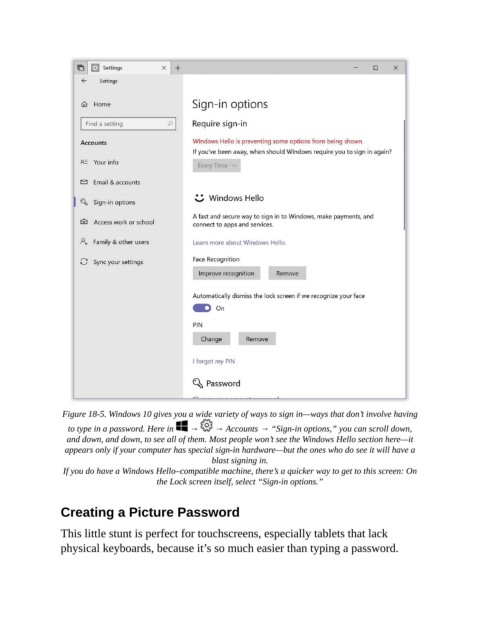
Figure 18-5. Windows 10 gives you a wide variety of ways to sign in—ways that don’t involve having

                  to type in a password. Here in    →    → Accounts → “Sign-in options,” you can scroll down,
                  and down, and down, to see all of them. Most people won’t see the Windows Hello section here—it
                 appears only if your computer has special sign-in hardware—but the ones who do see it will have a
                                                       blast signing in.

                 If you do have a Windows Hello–compatible machine, there’s a quicker way to get to this screen: On
                                         the Lock screen itself, select “Sign-in options.”


                Creating a Picture Password


                This little stunt is perfect for touchscreens, especially tablets that lack
                physical keyboards, because it’s so much easier than typing a password.

